Dokploy vs. Portainer
Both tools help you manage containers on your own server. But they solve very different problems—here's what that means for your setup.
Dokploy
For scaling teams that want to self-host web apps and databases with a polished UI, automated deployments from git repos, multi-server support, a built-in reverse proxy, and SSL.
Portainer
For enterprises that already run Kubernetes and want a GUI to manage containers, images, and stacks. A practical choice for ops-focused users who need visibility into existing infrastructure.
Dokploy vs. Portainer at a glance
Read our comprehensive Dokploy vs. Portainer comparison before you make your decision.
| Feature | Dokploy | Portainer |
|---|---|---|
| Setup & Installation | ||
| One-command installation | ||
| Installation feedback and progress logs | ||
| Works with firewall and Tailscale out of the box | ||
| Lightweight CPU usage while idle | ||
| Deployment | ||
| Deploy web apps from git repos (GitHub, GitLab, Bitbucket) | Limited | |
| Auto-deploy on git push | Limited | |
| Docker Compose support | ||
| Deploy from custom Docker images | ||
| Nixpacks and Heroku Buildpack support | ||
| Preview deployments (review apps) | ||
| One-click open source templates | ||
| Networking & Domains | ||
| Built-in reverse proxy (Traefik) | ||
| Automatic SSL / encrypt cert via Let's Encrypt | ||
| Custom domain management | ||
| Infrastructure | ||
| Multi-server support | ||
| Docker Swarm clustering | ||
| Kubernetes support | ||
| Configuration & Services | ||
| Real-time monitoring (CPU, RAM, disk) | Limited | |
| Metrics enabled by default | ||
| Automated alerts from metrics | ||
| Application and container log viewer | ||
| Teams & Access | ||
| Teams and multi-user support | ||
| Role-based access control (RBAC) | ||
| Projects grouping | ||
| API and CLI access | ||
| AI-assisted deployments | ||
| Free community edition | ||
| Full-featured without a paid plan | ||
Why you should go with Dokploy
Deploy web services end-to-end, don't just manage containers
Dokploy is a full deployment platform. Connect your git repos, and it handles the rest: building code, running it in containers, routing traffic through its built-in reverse proxy, and issuing SSL certificates automatically. Whether you're deploying web apps with Docker Compose files or spinning up databases on a cheap VPS, there's no bash script to maintain and no separate proxy to configure.
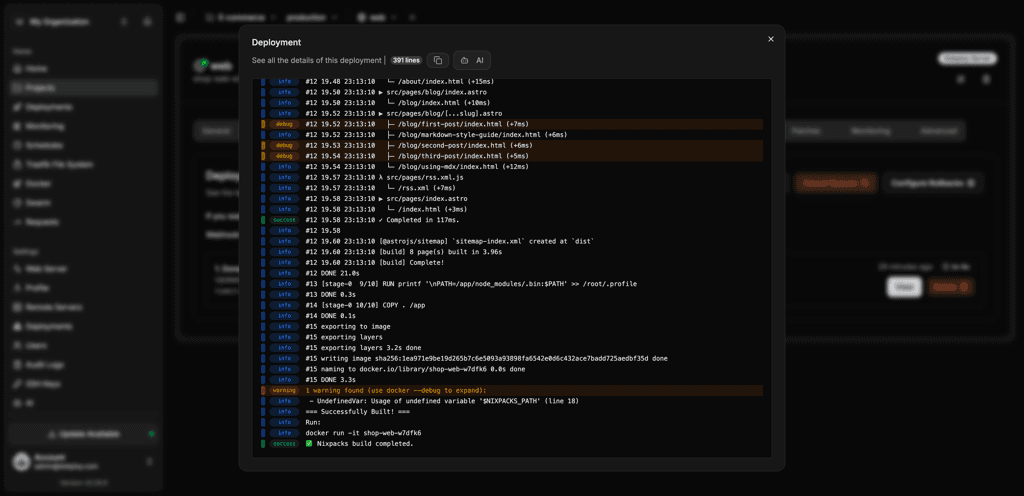
Get built-in networking without extra tools
Dokploy offers SSL, built-in reverse proxy, and managed domains and cert issuance encryption. It ships with Traefik integrated, so assigning a domain to a service and getting a valid HTTPS certificate is a few clicks in the UI. You can also manage Traefik config directly via the file editor if you need more control.
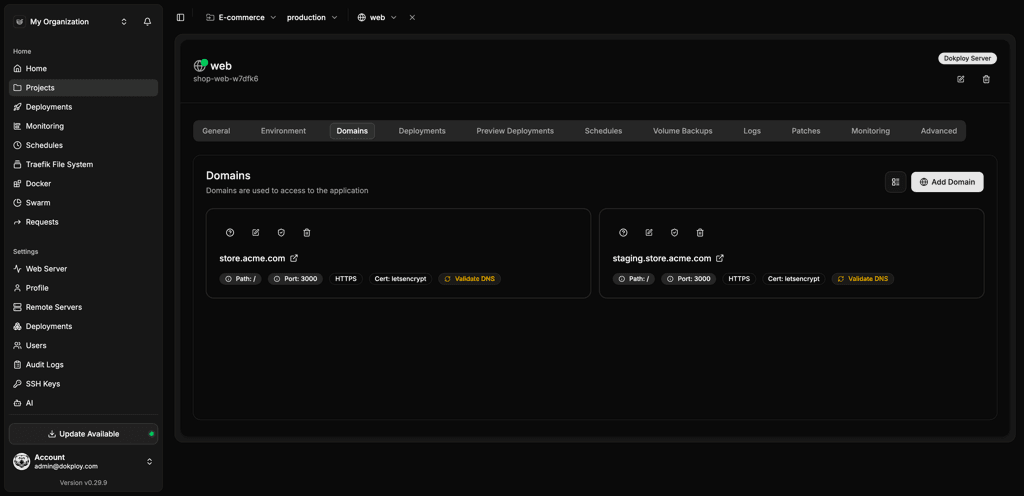
Monitor, back up, and alert from one dashboard
Dokploy has real-time CPU, memory, and disk metrics enabled by default, automated alerts, and scheduled S3-compatible database and volume backups built in. There's less to install, less to maintain, and less to go wrong. Troubleshooting is also simpler: logs, metrics, and alerts all live in the same UI.
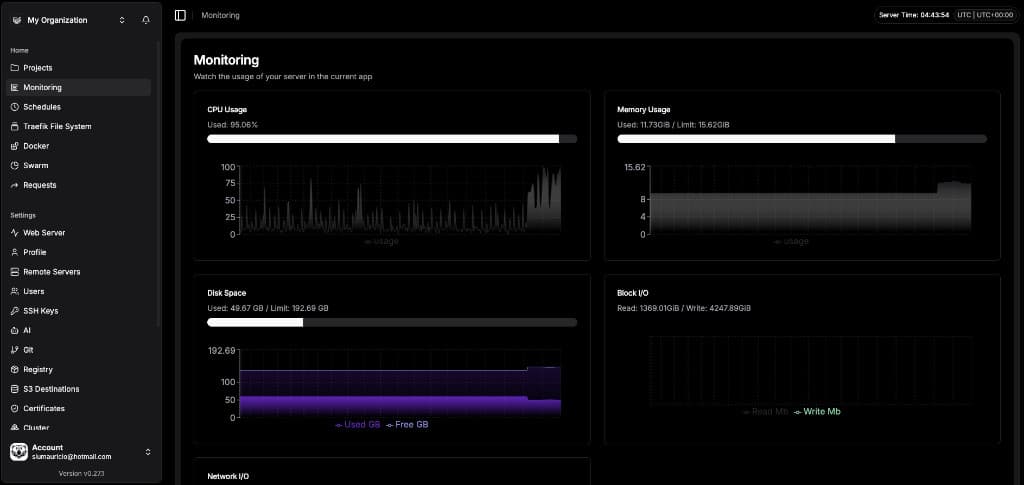
Switch to a more flexible workflow as your project grows
Dokploy's open source version is genuinely full-featured for solo developers, startups, teams, and large enterprises alike. You can manage multi-server deployments, organize services into projects, control user permissions, and deploy across multiple environments—only upgrading as you grow. Whether you're a student running a side project or an agency managing client instances, the same tool scales with you.
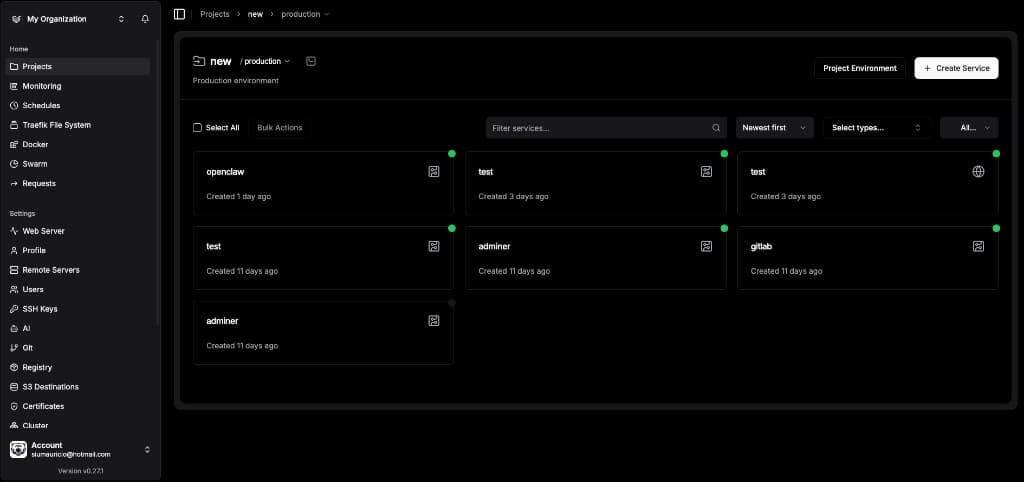
Deploy AI tools in a secure environment
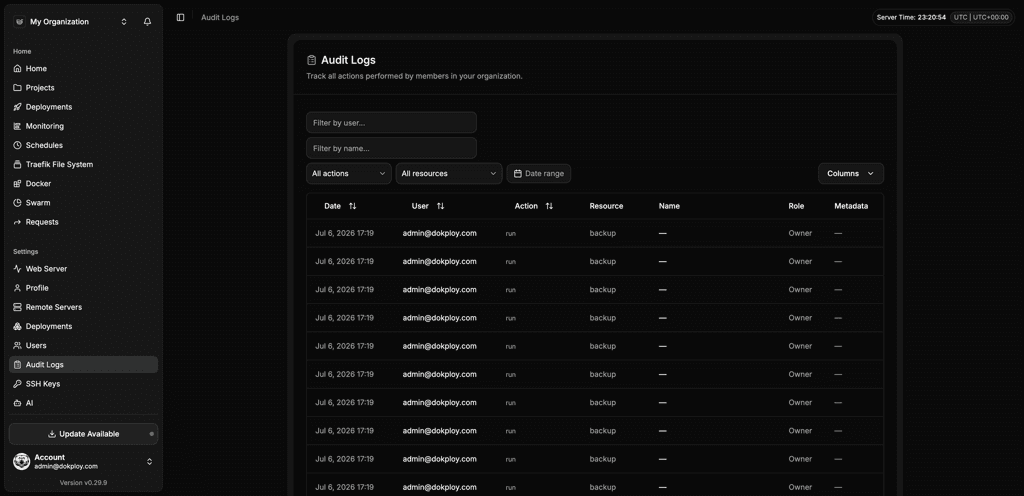
Create sandboxes with Dokploy that combine multitenancy, SSO, audit logs, and IP allowlisting in a single setup. Every deployment is logged, access is tied to your identity provider, workspaces are kept separate, and non-technical users can go from code to a running app without an engineer involved.
Dokploy integrates with the leading solutions
When it comes to a Dokploy vs. Portainer comparison, you want the container management solution that syncs with the tools in your workflow.
| Category | Dokploy | Portainer |
|---|---|---|
| Git providers | GitHub, GitLab, Bitbucket, Gitea, Git Generic | Git Generic (any URL with credentials) |
| Build and deployment systems | Docker, Docker Compose, Nixpacks, Heroku Buildpacks, Paketo Buildpacks, Railpack | Docker, Docker Compose |
| Notifications and communication | Slack, Telegram, Discord, Lark, Email (SMTP), Resend, Gotify, Ntfy, Pushover, Webhook | Slack, Microsoft Teams, Email (SMTP), Webhook |
Why Dokploy is perfect for teams of any size
Whether you're a startup founder deploying your first web app on a cheap VPS or a growing team managing multiple services across servers, Dokploy's flexible, polished platform makes self-hosting accessible to everyone—from beginners and non-technical users who've never touched a bash script to engineers who want full control over their config, containers, and workflow.
Thousands have chosen Dokploy
Just a few numbers to show we're not completely making this up. Turns out, Dokploy has actually helped a few people – who knew?
GitHub Stars
+
Trusted by developers worldwide
DockerHub Downloads
+
Go-to solution for deployments
Community Contributors
+
Thriving open source community
Sponsors
+
Supporting the project
Why Developers Love Dokploy
Think we’re bragging? Hear from the devs who once doubted too—until Dokploy made their lives (and deployments) surprisingly easier.

@duras
This app convinced me to try something beyond pure Docker Compose. It’s a pleasure to contribute to such an awesome project!

@apis
I replaced my previous setup with Dokploy today. It’s stable, easy to use, and offers excellent support!

@yayza_
Migrated all my services to Dokploy—it worked seamlessly! The level of configuration is perfect for all kinds of projects.

@vaurion
Dokploy makes my deployments incredibly easy. I just test locally, push a preview to GitHub, and Dokploy takes care of the rest.

@vinum
Dokploy is everything I wanted in a PaaS. The functionality is impressive, and it's completely free!
@duras
This app convinced me to try something beyond pure Docker Compose. It’s a pleasure to contribute to such an awesome project!
@apis
I replaced my previous setup with Dokploy today. It’s stable, easy to use, and offers excellent support!
@yayza_
Migrated all my services to Dokploy—it worked seamlessly! The level of configuration is perfect for all kinds of projects.
@vaurion
Dokploy makes my deployments incredibly easy. I just test locally, push a preview to GitHub, and Dokploy takes care of the rest.
@vinum
Dokploy is everything I wanted in a PaaS. The functionality is impressive, and it's completely free!
@duras
This app convinced me to try something beyond pure Docker Compose. It’s a pleasure to contribute to such an awesome project!
@apis
I replaced my previous setup with Dokploy today. It’s stable, easy to use, and offers excellent support!
@yayza_
Migrated all my services to Dokploy—it worked seamlessly! The level of configuration is perfect for all kinds of projects.
@vaurion
Dokploy makes my deployments incredibly easy. I just test locally, push a preview to GitHub, and Dokploy takes care of the rest.
@vinum
Dokploy is everything I wanted in a PaaS. The functionality is impressive, and it's completely free!
@duras
This app convinced me to try something beyond pure Docker Compose. It’s a pleasure to contribute to such an awesome project!
@apis
I replaced my previous setup with Dokploy today. It’s stable, easy to use, and offers excellent support!
@yayza_
Migrated all my services to Dokploy—it worked seamlessly! The level of configuration is perfect for all kinds of projects.
@vaurion
Dokploy makes my deployments incredibly easy. I just test locally, push a preview to GitHub, and Dokploy takes care of the rest.
@vinum
Dokploy is everything I wanted in a PaaS. The functionality is impressive, and it's completely free!

@vadzim
Dokploy is fantastic! I rarely encounter any deployment issues, and the community support is top-notch.

@slurpy
This is exactly what I want in a deployment system. I’ve restructured my dev process around Dokploy!

@lua
Dokploy is genuinely so nice to use. The hard work behind it really shows.

@johnnygri
Dokploy is a complete joy to use. I’m running a mix of critical and low-priority services seamlessly across servers.

@hijoe
Setting up Dokploy was great—simple, intuitive, and reliable. Perfect for small to medium-sized businesses.

@johannes0910
Dokploy has been a game-changer for my side projects. Solid UI, straightforward Docker abstraction, and great design.
@vadzim
Dokploy is fantastic! I rarely encounter any deployment issues, and the community support is top-notch.
@slurpy
This is exactly what I want in a deployment system. I’ve restructured my dev process around Dokploy!
@lua
Dokploy is genuinely so nice to use. The hard work behind it really shows.
@johnnygri
Dokploy is a complete joy to use. I’m running a mix of critical and low-priority services seamlessly across servers.
@hijoe
Setting up Dokploy was great—simple, intuitive, and reliable. Perfect for small to medium-sized businesses.
@johannes0910
Dokploy has been a game-changer for my side projects. Solid UI, straightforward Docker abstraction, and great design.
@vadzim
Dokploy is fantastic! I rarely encounter any deployment issues, and the community support is top-notch.
@slurpy
This is exactly what I want in a deployment system. I’ve restructured my dev process around Dokploy!
@lua
Dokploy is genuinely so nice to use. The hard work behind it really shows.
@johnnygri
Dokploy is a complete joy to use. I’m running a mix of critical and low-priority services seamlessly across servers.
@hijoe
Setting up Dokploy was great—simple, intuitive, and reliable. Perfect for small to medium-sized businesses.
@johannes0910
Dokploy has been a game-changer for my side projects. Solid UI, straightforward Docker abstraction, and great design.
@vadzim
Dokploy is fantastic! I rarely encounter any deployment issues, and the community support is top-notch.
@slurpy
This is exactly what I want in a deployment system. I’ve restructured my dev process around Dokploy!
@lua
Dokploy is genuinely so nice to use. The hard work behind it really shows.
@johnnygri
Dokploy is a complete joy to use. I’m running a mix of critical and low-priority services seamlessly across servers.
@hijoe
Setting up Dokploy was great—simple, intuitive, and reliable. Perfect for small to medium-sized businesses.
@johannes0910
Dokploy has been a game-changer for my side projects. Solid UI, straightforward Docker abstraction, and great design.
Unlock Your Deployment Potential with Dokploy Cloud
Say goodbye to infrastructure hassles—Dokploy Cloud handles it all. Effortlessly deploy, manage Docker containers, and secure your traffic with Traefik. Focus on building, we'll handle the rest.
Create an account