
Dossier
Dossier is a personal job search app with a career profile, resume and cover letter drafting, PDF export, and an application tracking board. It supports local and hosted AI providers.
Deploy Dossier on Dokploy
- Install Dokploy on your server if you haven't already.
- In your Dokploy panel, open a project and click Create Service → Template.
- Search for Dossier and click Create — Dokploy configures domains, environment variables, and volumes for you.
Alternatively, create a Compose service, go to Advanced → Import from Base64, and paste this payload:
ewogICJjb21wb3NlIjogInNlcnZpY2VzOlxuICBkb3NzaWVyOlxuICAgIGltYWdlOiBnaGNyLmlvL2FpZW50ZWNoL2Rvc3NpZXI6djEuNS4wXG4gICAgcmVzdGFydDogdW5sZXNzLXN0b3BwZWRcbiAgICBlbnZfZmlsZTpcbiAgICAgIC0gcGF0aDogLmVudlxuICAgICAgICByZXF1aXJlZDogZmFsc2VcbiAgICBlbnZpcm9ubWVudDpcbiAgICAgIERBVEFCQVNFX1VSTDogXCJwb3N0Z3Jlc3FsOi8vZG9zc2llcjoke1BPU1RHUkVTX1BBU1NXT1JEOj9LZWVwIHRoZSBnZW5lcmF0ZWQgZGF0YWJhc2UgcGFzc3dvcmR9QGRvc3NpZXItcG9zdGdyZXM6NTQzMi9kb3NzaWVyXCJcbiAgICAgICMgT3B0aW9uYWw6IGFuIGFyZ29uMmlkIGhhc2ggZnJvbSBgaGFzaC1wYXNzd29yZGAuIFdoZW4gZW1wdHksIGl0J3MgZGVyaXZlZCBhdFxuICAgICAgIyBzdGFydHVwIGZyb20gRE9TU0lFUl9BRE1JTl9QQVNTV09SRCAoZ2VuZXJhdGVkIGJ5IHRoZSB0ZW1wbGF0ZSkuXG4gICAgICBET1NTSUVSX1BBU1NXT1JEOiBcIiR7RE9TU0lFUl9QQVNTV09SRDotfVwiXG4gICAgICBET1NTSUVSX0FETUlOX1BBU1NXT1JEOiBcIiR7RE9TU0lFUl9BRE1JTl9QQVNTV09SRDotfVwiXG4gICAgICBET1NTSUVSX1NFQ1JFVDogXCIke0RPU1NJRVJfU0VDUkVUOj9LZWVwIHRoZSBnZW5lcmF0ZWQgRE9TU0lFUl9TRUNSRVR9XCJcbiAgICAgIERPU1NJRVJfREFUQV9ESVI6IC9kYXRhXG4gICAgICBET1NTSUVSX1RFTEVNRVRSWTogXCIke0RPU1NJRVJfVEVMRU1FVFJZOi1vZmZ9XCJcbiAgICAgIERPU1NJRVJfQkFDS1VQX1JFVEVOVElPTl9EQVlTOiBcIiR7RE9TU0lFUl9CQUNLVVBfUkVURU5USU9OX0RBWVM6LTE0fVwiXG4gICAgICBUWjogXCIke1RaOi1VVEN9XCJcbiAgICBjb21tYW5kOlxuICAgICAgLSBzaFxuICAgICAgLSAtY1xuICAgICAgLSB8XG4gICAgICAgIGlmIFsgLXogXCIkJERPU1NJRVJfUEFTU1dPUkRcIiBdOyB0aGVuXG4gICAgICAgICAgWyAtbiBcIiQkRE9TU0lFUl9BRE1JTl9QQVNTV09SRFwiIF0gfHwgeyBlY2hvIFwiU2V0IERPU1NJRVJfQURNSU5fUEFTU1dPUkQgb3IgRE9TU0lFUl9QQVNTV09SRFwiID4mMjsgZXhpdCAxOyB9XG4gICAgICAgICAgRE9TU0lFUl9QQVNTV09SRD1cIiQkKHByaW50ZiAnJXNcXG4nIFwiJCRET1NTSUVSX0FETUlOX1BBU1NXT1JEXCIgfCBoYXNoLXBhc3N3b3JkKVwiXG4gICAgICAgICAgZXhwb3J0IERPU1NJRVJfUEFTU1dPUkRcbiAgICAgICAgZmlcbiAgICAgICAgdW5zZXQgRE9TU0lFUl9BRE1JTl9QQVNTV09SRFxuICAgICAgICBleGVjIC4vc3RhcnQuc2hcbiAgICBleHBvc2U6XG4gICAgICAtIFwiMzAwMFwiXG4gICAgdm9sdW1lczpcbiAgICAgIC0gZG9zc2llci1kYXRhOi9kYXRhXG4gICAgZGVwZW5kc19vbjpcbiAgICAgIGRvc3NpZXItcG9zdGdyZXM6XG4gICAgICAgIGNvbmRpdGlvbjogc2VydmljZV9oZWFsdGh5XG4gICAgaGVhbHRoY2hlY2s6XG4gICAgICB0ZXN0OlxuICAgICAgICAtIENNRFxuICAgICAgICAtIG5vZGVcbiAgICAgICAgLSAtZVxuICAgICAgICAtIFwiZmV0Y2goJ2h0dHA6Ly8xMjcuMC4wLjE6MzAwMC9hcGkvaGVhbHRoJykudGhlbihyID0+IHByb2Nlc3MuZXhpdChyLm9rID8gMCA6IDEpLCAoKSA9PiBwcm9jZXNzLmV4aXQoMSkpXCJcbiAgICAgIHN0YXJ0X3BlcmlvZDogNjBzXG4gICAgICBpbnRlcnZhbDogMzBzXG4gICAgICB0aW1lb3V0OiAxMHNcbiAgICAgIHJldHJpZXM6IDNcbiAgICAjIFRoZSBidW5kbGVkIENocm9taXVtIHByaW50cyBQREZzIGluIHRoaXMgcHJvY2Vzcy5cbiAgICBtZW1fbGltaXQ6IDFnXG4gICAgc3RvcF9ncmFjZV9wZXJpb2Q6IDMwc1xuICAgIGV4dHJhX2hvc3RzOlxuICAgICAgLSBcImhvc3QuZG9ja2VyLmludGVybmFsOmhvc3QtZ2F0ZXdheVwiXG4gICAgbG9nZ2luZzogJmxvZ2dpbmdcbiAgICAgIGRyaXZlcjoganNvbi1maWxlXG4gICAgICBvcHRpb25zOlxuICAgICAgICBtYXgtc2l6ZTogXCIxMG1cIlxuICAgICAgICBtYXgtZmlsZTogXCIzXCJcblxuICBkb3NzaWVyLXBvc3RncmVzOlxuICAgIGltYWdlOiBwb3N0Z3JlczoxOC42LWFscGluZVxuICAgIHJlc3RhcnQ6IHVubGVzcy1zdG9wcGVkXG4gICAgZW52aXJvbm1lbnQ6XG4gICAgICBQT1NUR1JFU19VU0VSOiBkb3NzaWVyXG4gICAgICBQT1NUR1JFU19EQjogZG9zc2llclxuICAgICAgUE9TVEdSRVNfUEFTU1dPUkQ6IFwiJHtQT1NUR1JFU19QQVNTV09SRDo/S2VlcCB0aGUgZ2VuZXJhdGVkIGRhdGFiYXNlIHBhc3N3b3JkfVwiXG4gICAgdm9sdW1lczpcbiAgICAgIC0gZG9zc2llci1wb3N0Z3JlczovdmFyL2xpYi9wb3N0Z3Jlc3FsXG4gICAgaGVhbHRoY2hlY2s6XG4gICAgICB0ZXN0OiBbXCJDTUQtU0hFTExcIiwgXCJwZ19pc3JlYWR5IC1VIGRvc3NpZXIgLWQgZG9zc2llclwiXVxuICAgICAgc3RhcnRfcGVyaW9kOiAyMHNcbiAgICAgIGludGVydmFsOiA1c1xuICAgICAgdGltZW91dDogNXNcbiAgICAgIHJldHJpZXM6IDEwXG4gICAgc3RvcF9ncmFjZV9wZXJpb2Q6IDMwc1xuICAgIGxvZ2dpbmc6ICpsb2dnaW5nXG5cbnZvbHVtZXM6XG4gIGRvc3NpZXItZGF0YTpcbiAgZG9zc2llci1wb3N0Z3JlczoiLAogICJjb25maWciOiAiW3ZhcmlhYmxlc11cbm1haW5fZG9tYWluID0gXCIke2RvbWFpbn1cIlxucG9zdGdyZXNfcGFzc3dvcmQgPSBcIiR7aGFzaDo0OH1cIlxuZG9zc2llcl9zZWNyZXQgPSBcIiR7aGFzaDo2NH1cIlxuYWRtaW5fcGFzc3dvcmQgPSBcIiR7cGFzc3dvcmQ6MjR9XCJcblxuW2NvbmZpZ11cbmVudiA9IFtcbiAgXCJQT1NUR1JFU19QQVNTV09SRD0ke3Bvc3RncmVzX3Bhc3N3b3JkfVwiLFxuICBcIkRPU1NJRVJfU0VDUkVUPSR7ZG9zc2llcl9zZWNyZXR9XCIsXG4gICMgU2lnbi1pbiBwYXNzd29yZC4gSXRzIGFyZ29uMmlkIGhhc2ggaXMgY29tcHV0ZWQgYXQgc3RhcnR1cC5cbiAgXCJET1NTSUVSX0FETUlOX1BBU1NXT1JEPSR7YWRtaW5fcGFzc3dvcmR9XCIsXG4gIFwiRE9TU0lFUl9URUxFTUVUUlk9b2ZmXCIsXG4gIFwiRE9TU0lFUl9CQUNLVVBfUkVURU5USU9OX0RBWVM9MTRcIixcbiAgXCJUWj1VVENcIlxuXVxuXG5bW2NvbmZpZy5kb21haW5zXV1cbnNlcnZpY2VOYW1lID0gXCJkb3NzaWVyXCJcbnBvcnQgPSAzMDAwXG5ob3N0ID0gXCIke21haW5fZG9tYWlufVwiIgp9
Configuration
The exact Docker Compose and template configuration this template deploys.
Instructions
Dossier
Dossier is a single-user job search workspace for your profile, resumes, applications, and cover letters. This template runs Dossier v1.5.0 with PostgreSQL 18 and persistent storage. AI and job search providers are optional.
Before the first deployment
-
Import the template in Dokploy. Keep the generated
POSTGRES_PASSWORDandDOSSIER_SECRETvalues. -
Generate a login password hash on a machine with Docker:
shEnter your chosen password twice. Copy the printed
argon2id:...string intoDOSSIER_PASSWORDin Dokploy's Environment tab. Use Dossier's command: it produces a special dollar-free format, rather than a standard$argon2id$...hash. Never put your plaintext password in this variable. The empty template value deliberately prevents deployment until you set the hash. -
Set your domain in Dokploy and enable HTTPS with a certificate. The domain targets service
dossier, port3000. Dokploy manages routing and networks; neither the app nor PostgreSQL needs a published host port. -
Deploy, wait for both services to become healthy, and open the domain. Sign in with the password you entered in the hashing command.
Allow at least 1 GB of memory for Dossier, plus memory for PostgreSQL and Dokploy. The app's 1 GB container limit accommodates its bundled Chromium PDF renderer. Larger documents or heavier use may need a higher limit. Run exactly one Dossier instance against this database: backups, the application queue, and the browser process run inside the app.
Optional integrations
You can save your profile and print a base resume without an AI provider. Configure AI later in Settings → AI provider, or add the DOSSIER_AI_* defaults listed in environment.md. Settings saved in the app take precedence over environment defaults. Hosted services require their own credentials; no provider key is generated or required by this template.
An Ollama service is not installed automatically. To use Ollama already running on the Docker host, set the local provider URL to http://host.docker.internal:11434 and choose an installed model. The host gateway mapping is included, but Ollama must listen on an address reachable from the container and the host firewall must permit that connection. localhost inside Dossier refers to the Dossier container. Alternatively, add your own Ollama service and persistent model volume, then use its service name as the URL. Model downloads and CPU/GPU memory are additional requirements only for that optional service.
Job search is off until you choose a source in Settings → Job search. JSearch needs a key; Adzuna needs an app ID and key; Arbeitsagentur needs no key. None is required to deploy or use the application tracker.
The template sets DOSSIER_TELEMETRY=off. Upstream defaults to on; enabling it sends an install ID and version once per day the app is used. The release update check is separate and can be disabled in Settings → About.
Persistence, backups, and upgrades
dossier-postgresstores PostgreSQL data at/var/lib/postgresql, the parent directory required by PostgreSQL 18 images.dossier-datastores/data, including nightly backups and downloadable PDF/ZIP artifacts. Backups run at 03:00 inTZand are retained forDOSSIER_BACKUP_RETENTION_DAYSdays, default 14.- Back up the database,
/data, and your deployment secrets to another location. A volume on the same server is not an off-server backup. Dossier's Settings → Your data also provides export/import. - Preserve
DOSSIER_SECRET: it signs sessions and encrypts saved provider keys. Replacing it signs everyone out and makes previously encrypted keys unreadable. ChangingDOSSIER_PASSWORDalso invalidates existing sessions. - Keep the generated database password URL-safe if you replace it: it is interpolated into
DATABASE_URL. Changing it in Environment alone does not change the password in an initialized database. - The official image applies database migrations before starting the server. Back up first, review upstream release notes, then update the image and metadata together. Keep PostgreSQL on major version 18 unless you perform a planned database migration.
GET /api/health is public and checks database connectivity without returning private data. Behind Dokploy's Traefik proxy, Dossier uses X-Forwarded-Proto for secure cookies and X-Forwarded-For for login rate limiting. Keep the application reachable through the trusted proxy and use HTTPS for regular access.
Upstream time zone caveat
In v1.5.0, testing TZ=Europe/Paris with a UTC browser produced a React hydration warning on the dashboard's weekly activity chart. That chart formats dates in both the server and browser time zones. The template's default TZ=UTC passed the tested UTC browser flow. Review the dashboard after changing TZ, especially when your browser uses a different zone; this template does not modify upstream application code.
See environment.md for required and optional variables and testing.md for a repeatable verification checklist.
Related Templates

Creed
Version: e9b096d
One personal context file every AI agent reads before answering and proposes updates to as it learns about you. Requires an external Supabase project (see instructions).

KaraKeep
Version: 0.25.0
A self-hostable bookmark-everything app (links, notes and images) with AI-based automatic tagging and full text search. Previously known as Hoarder.

OpenDots
Version: 0.1.0-625452e
OpenDots is an open-source template from CopilotKit for always-on AI coworkers: specialist Dots with their own computer, a document workspace with Spaces and pages, chat, calls and Slack, built with CopilotKit and AG-UI.
9Router
Version: 0.5.59
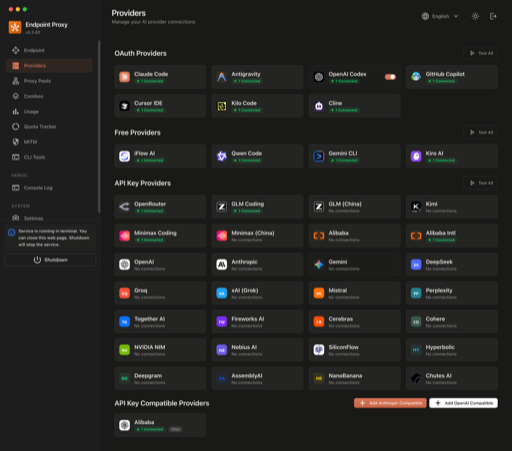
Self-hosted AI model router that rotates requests across 40+ providers with automatic fallback, exposing an OpenAI-compatible endpoint for coding agents.

Affine Pro
Version: stable
AFFiNE is a workspace for notes, docs, and whiteboards, and an alternative to Notion. Self-host it on your own server with Dokploy, which deploys AFFiNE as a Docker Compose service in a few clicks.

Agent Zero
Version: v1.9
Agent Zero is an open-source autonomous AI agent framework with memory and tool use capabilities.
Self-host Dossier in minutes
Dokploy is a free, open source deployment platform. Deploy Dossier and 585+ other templates on your own infrastructure with a single click.