Railway alternative
Dokploy vs. Railway
Choose Dokploy as your Railway alternative and take control of your servers, setup, and infrastructure bill.
Dokploy
Dokploy gives you PaaS-level simplicity on infrastructure you own. Deploy apps, Docker Compose stacks, databases, and background workers on your preferred VPS or cloud server, with predictable pricing and no vendor lock-in.
Railway
Railway is a fully managed platform that deploys straight from GitHub or the CLI, handling servers, scaling, and networking for you. It's a strong pick for teams that would rather not think about infrastructure at all, billed by the second for the compute you use.
Dokploy vs. Railway at a glance
Both platforms simplify deploying apps and databases from Git, but they give you different levels of control. Read our comprehensive Railway vs. Dokploy features comparison before you decide.
| Feature | Dokploy | Railway |
|---|---|---|
| Self-hostable on your own VPS or server | ||
| Native Docker Compose support | ||
| Static site / build support | ||
| Preview deployments | PR-based | PR-based |
| Scheduled jobs (cron) | ||
| Background workers | ||
| Choice of any server region | Within plan limits | |
| Managed databases | Self-managed on your server | Native backups, PITR & opt-in HA clustering |
| MCP server for AI agents | ||
| SSO & custom roles on Enterprise | ||
| Predictable per-server pricing |
Why Dokploy is the best Railway alternative
Own your infrastructure
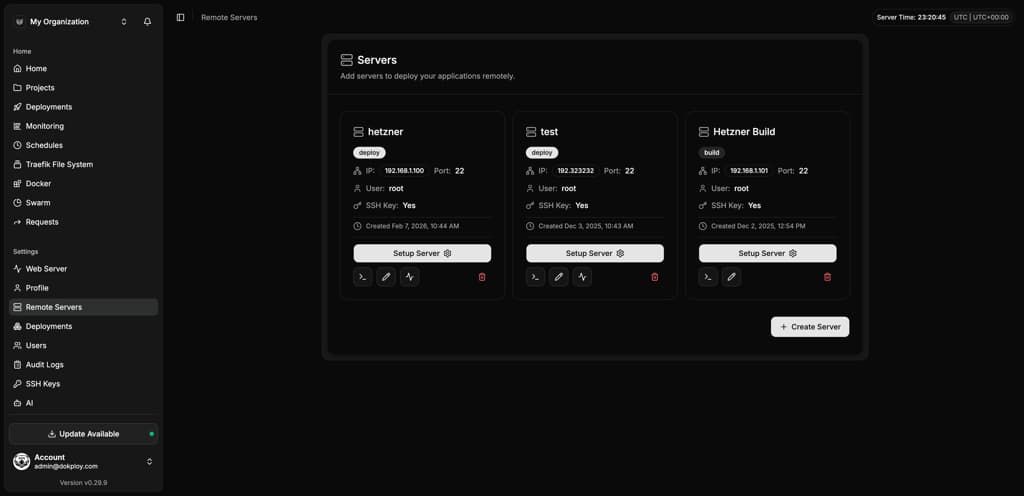
Deploy to any Linux server reachable by SSH—Hetzner, DigitalOcean, AWS, or your own hardware. Railway runs every workload on its own infrastructure, so you can't move your apps elsewhere.
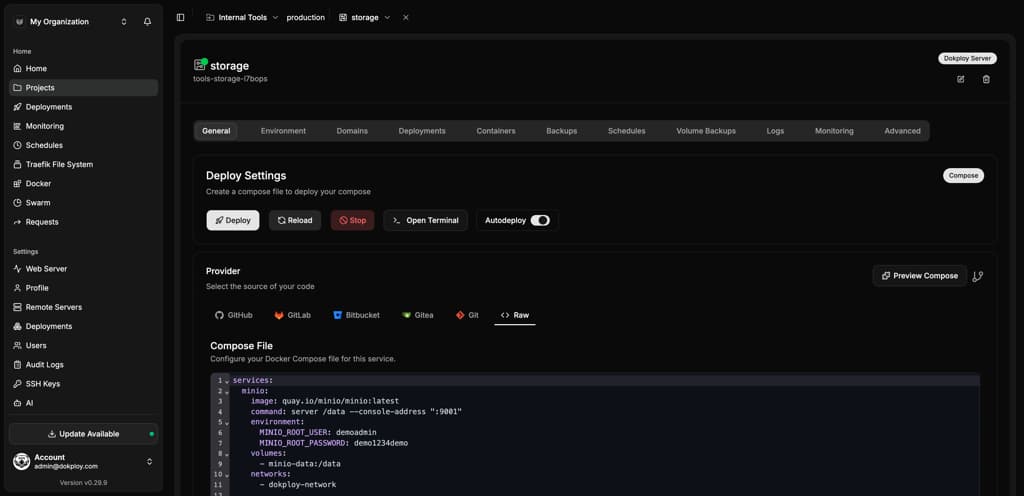
Deploy your existing Docker Compose stacks
Dokploy runs your Compose file as written, no rework needed. Railway can import a Compose file to scaffold services, but it doesn't run Compose natively, and not every configuration is supported.
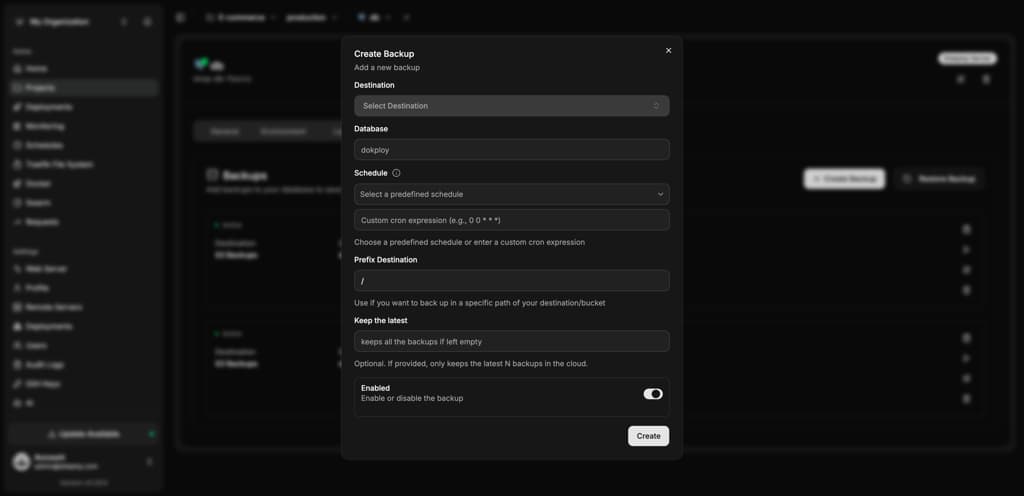
Back up to storage you actually control
Dokploy backs up any named Docker volume, not just databases, straight to S3-compatible storage you own. Railway's native backups are internal snapshots that stay on its infrastructure. To move them to your storage, you need to deploy a separate script.
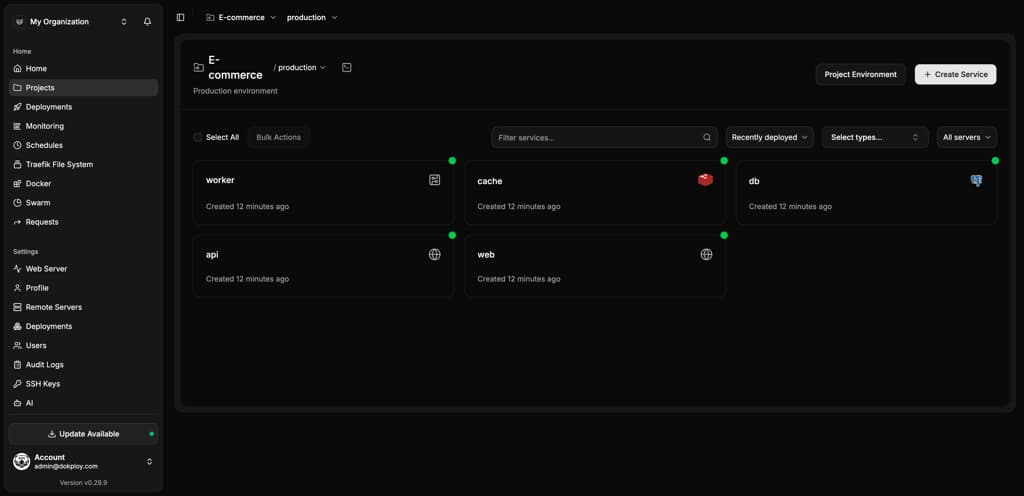
Run background workers and cron jobs without usage billing
Scheduled jobs and background workers run on your server at no extra per-resource cost, alongside your applications and databases.
Get Enterprise security on infrastructure you control
Dokploy's Enterprise license adds SSO and custom roles to a self-hosted instance you run yourself, air-gapped setups included. Railway's equivalent Enterprise tier for these features only runs on its own managed cloud.
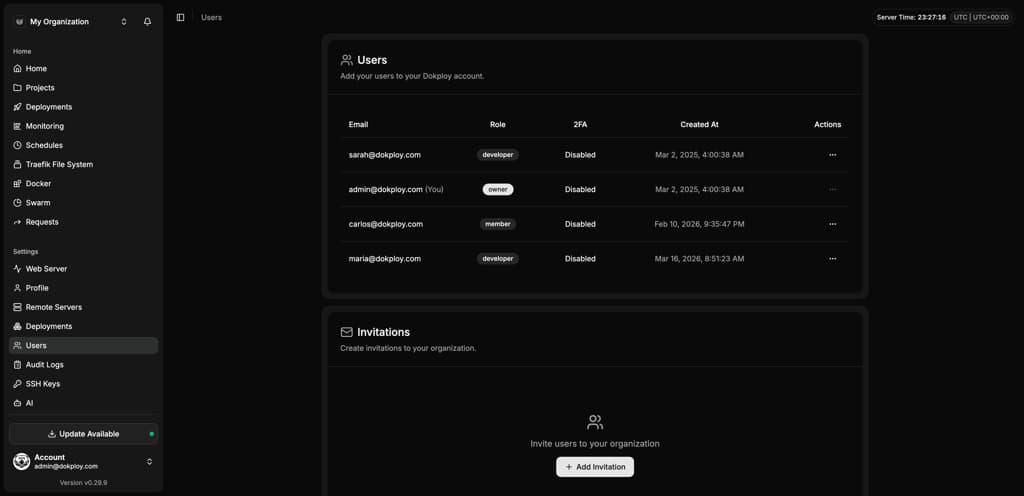
See your metrics with zero setup
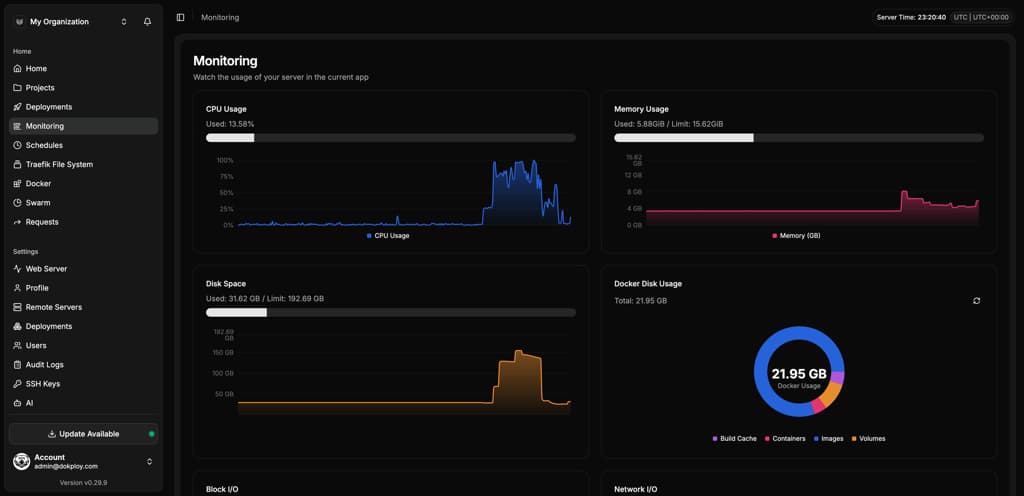
Dokploy shows CPU, RAM, and disk metrics for every application by default, no extra tool required. Railway offers the same base metrics on all plans, but automated threshold alerts require upgrading to Pro.
When to use Dokploy vs. Railway
The right choice depends on how much infrastructure you want to own, not which platform is objectively better.
Choose Dokploy if:
- You're running three or more always-on apps and want a flat server rate instead of metered billing.
- You want full control over your servers, operating system, and region.
- You need native Docker Compose support for multi-service apps.
- You want the option to run Enterprise security features like SSO and audit logs on your own infrastructure someday.
- Your costs shouldn't grow just because you add teammates.
Choose Railway if:
- You're spinning up a hobby project or prototype and don't want to provision a server.
- You want a CLI-first, git-push workflow with zero infrastructure setup.
- Your usage is low enough that pay-as-you-go pricing beats the cost of a VPS.
- You don't want to own or maintain any servers at all.
- You want built-in private networking and replicas without configuring them yourself.
Pricing comparison: platform fees vs. usage-based billing
Dokploy charges for the platform, not your workload. You cover your server costs, often through a VPS provider. One Dokploy server covers unlimited apps, databases, and deployments for a fixed monthly cost. Railway bundles infrastructure and platform into one usage-based bill, metering CPU, RAM, storage, and egress by the second, so usage increases the bill.
Team size is also a factor. Dokploy Cloud is priced per connected server, not per person, while Railway's Pro plan charges $20 per team member per month on top of usage.
| Dokploy Cloud | Railway | |
|---|---|---|
| Entry price | Free (open source, self-hosted) | $5/month (Hobby) + usage |
| Production tier | $15/month (Startup, 3 servers) | $20/month per seat (Pro) + usage |
| Per-seat cost | None—priced per server | $20/month per team member |
| Resource usage | Your server's capacity | $10/GB RAM/month, $20/vCPU/month |
| Bandwidth | Your server's allowance | $0.05/GB egress |
| Free tier | Self-hosted edition is free indefinitely | 30-day trial credit, not an ongoing production tier |
Static sites and multi-region deployment
Dokploy and Railway take different approaches here, and this is one area where it makes sense to consider Railway's managed model.
Dokploy
Deploy static builds on any server, in any region you choose—US East, US West, EU, or wherever your provider has capacity. There's no built-in CDN, so for edge caching you'd add a service like Cloudflare in front yourself.
Railway
Railway includes a global CDN with edge caching for static assets and HTML on every plan, at no extra cost, plus multi-region placement within plan limits. Dokploy has no built-in equivalent, as traffic routes through Traefik on your own server, in whichever region you chose.
Dokploy integrates with the leading solutions
Both platforms connect to the tools you already use, but Dokploy supports a wider range of Git providers and notification channels out of the box.
| Category | Dokploy | Railway |
|---|---|---|
| Git providers | GitHub, GitLab, Bitbucket, Gitea, Git Generic | GitHub, CLI |
| Notifications and communication | Slack, Telegram, Discord, Lark, Email, Webhook, and more | Primarily webhooks and email |
Migrating from Railway to Dokploy
Moving a production app across platforms sounds daunting, but you can complete the whole process in six steps, with no downtime if you deploy to Dokploy first and verify before cutting over.
- 1
Export your environment variables from Railway.
Run the following command to output your variables in
KEY=VALUEformat, ready to save as a.envfile:railway variables --kv. - 2
Connect your repository in Dokploy.
Create a new Application (or Compose project for multi-service apps) and point it at the same GitHub, GitLab, Bitbucket, or Gitea repository you used on Railway.
- 3
Import your environment variables.
Paste them into Dokploy's Environment tab, or push the whole file at once from the CLI:
dokploy env push <file>. - 4
Provision your database and migrate the data.
Create a matching database in Dokploy—PostgreSQL, MySQL, MongoDB, MariaDB, or Redis—then pull your connection string from Railway:
railway variables -s db --kv | grep DATABASE_PUBLIC_URLand usepg_dump/pg_restore(ormongodump/mongorestore) to move the data across. - 5
Deploy and verify.
Trigger a deployment and check it on Dokploy's generated
traefik.medomain before touching DNS. - 6
Cut over your domain.
Add your custom domain in Dokploy's Domains tab and update your DNS once you've confirmed everything works.
FAQs
Thousands have chosen Dokploy
Just a few numbers to show we're not completely making this up. Turns out, Dokploy has actually helped a few people – who knew?
GitHub Stars
+
Trusted by developers worldwide
DockerHub Downloads
+
Go-to solution for deployments
Community Contributors
+
Thriving open source community
Sponsors
+
Supporting the project
Why Developers Love Dokploy
Think we’re bragging? Hear from the devs who once doubted too—until Dokploy made their lives (and deployments) surprisingly easier.

@duras
This app convinced me to try something beyond pure Docker Compose. It’s a pleasure to contribute to such an awesome project!

@apis
I replaced my previous setup with Dokploy today. It’s stable, easy to use, and offers excellent support!

@yayza_
Migrated all my services to Dokploy—it worked seamlessly! The level of configuration is perfect for all kinds of projects.

@vaurion
Dokploy makes my deployments incredibly easy. I just test locally, push a preview to GitHub, and Dokploy takes care of the rest.

@vinum
Dokploy is everything I wanted in a PaaS. The functionality is impressive, and it's completely free!
@duras
This app convinced me to try something beyond pure Docker Compose. It’s a pleasure to contribute to such an awesome project!
@apis
I replaced my previous setup with Dokploy today. It’s stable, easy to use, and offers excellent support!
@yayza_
Migrated all my services to Dokploy—it worked seamlessly! The level of configuration is perfect for all kinds of projects.
@vaurion
Dokploy makes my deployments incredibly easy. I just test locally, push a preview to GitHub, and Dokploy takes care of the rest.
@vinum
Dokploy is everything I wanted in a PaaS. The functionality is impressive, and it's completely free!
@duras
This app convinced me to try something beyond pure Docker Compose. It’s a pleasure to contribute to such an awesome project!
@apis
I replaced my previous setup with Dokploy today. It’s stable, easy to use, and offers excellent support!
@yayza_
Migrated all my services to Dokploy—it worked seamlessly! The level of configuration is perfect for all kinds of projects.
@vaurion
Dokploy makes my deployments incredibly easy. I just test locally, push a preview to GitHub, and Dokploy takes care of the rest.
@vinum
Dokploy is everything I wanted in a PaaS. The functionality is impressive, and it's completely free!
@duras
This app convinced me to try something beyond pure Docker Compose. It’s a pleasure to contribute to such an awesome project!
@apis
I replaced my previous setup with Dokploy today. It’s stable, easy to use, and offers excellent support!
@yayza_
Migrated all my services to Dokploy—it worked seamlessly! The level of configuration is perfect for all kinds of projects.
@vaurion
Dokploy makes my deployments incredibly easy. I just test locally, push a preview to GitHub, and Dokploy takes care of the rest.
@vinum
Dokploy is everything I wanted in a PaaS. The functionality is impressive, and it's completely free!

@vadzim
Dokploy is fantastic! I rarely encounter any deployment issues, and the community support is top-notch.

@slurpy
This is exactly what I want in a deployment system. I’ve restructured my dev process around Dokploy!

@lua
Dokploy is genuinely so nice to use. The hard work behind it really shows.

@johnnygri
Dokploy is a complete joy to use. I’m running a mix of critical and low-priority services seamlessly across servers.

@hijoe
Setting up Dokploy was great—simple, intuitive, and reliable. Perfect for small to medium-sized businesses.

@johannes0910
Dokploy has been a game-changer for my side projects. Solid UI, straightforward Docker abstraction, and great design.
@vadzim
Dokploy is fantastic! I rarely encounter any deployment issues, and the community support is top-notch.
@slurpy
This is exactly what I want in a deployment system. I’ve restructured my dev process around Dokploy!
@lua
Dokploy is genuinely so nice to use. The hard work behind it really shows.
@johnnygri
Dokploy is a complete joy to use. I’m running a mix of critical and low-priority services seamlessly across servers.
@hijoe
Setting up Dokploy was great—simple, intuitive, and reliable. Perfect for small to medium-sized businesses.
@johannes0910
Dokploy has been a game-changer for my side projects. Solid UI, straightforward Docker abstraction, and great design.
@vadzim
Dokploy is fantastic! I rarely encounter any deployment issues, and the community support is top-notch.
@slurpy
This is exactly what I want in a deployment system. I’ve restructured my dev process around Dokploy!
@lua
Dokploy is genuinely so nice to use. The hard work behind it really shows.
@johnnygri
Dokploy is a complete joy to use. I’m running a mix of critical and low-priority services seamlessly across servers.
@hijoe
Setting up Dokploy was great—simple, intuitive, and reliable. Perfect for small to medium-sized businesses.
@johannes0910
Dokploy has been a game-changer for my side projects. Solid UI, straightforward Docker abstraction, and great design.
@vadzim
Dokploy is fantastic! I rarely encounter any deployment issues, and the community support is top-notch.
@slurpy
This is exactly what I want in a deployment system. I’ve restructured my dev process around Dokploy!
@lua
Dokploy is genuinely so nice to use. The hard work behind it really shows.
@johnnygri
Dokploy is a complete joy to use. I’m running a mix of critical and low-priority services seamlessly across servers.
@hijoe
Setting up Dokploy was great—simple, intuitive, and reliable. Perfect for small to medium-sized businesses.
@johannes0910
Dokploy has been a game-changer for my side projects. Solid UI, straightforward Docker abstraction, and great design.
Unlock Your Deployment Potential with Dokploy Cloud
Say goodbye to infrastructure hassles—Dokploy Cloud handles it all. Effortlessly deploy, manage Docker containers, and secure your traffic with Traefik. Focus on building, we'll handle the rest.
Create an account