
Docling Serve
Running Docling as an API service for document processing and conversion with AI-powered capabilities.
Deploy Docling Serve on Dokploy
- Install Dokploy on your server if you haven't already.
- In your Dokploy panel, open a project and click Create Service → Template.
- Search for Docling Serve and click Create — Dokploy configures domains, environment variables, and volumes for you.
Alternatively, create a Compose service, go to Advanced → Import from Base64, and paste this payload:
ewogICJjb21wb3NlIjogInNlcnZpY2VzOlxuICBkb2NsaW5nLXNlcnZlOlxuICAgIGltYWdlOiBxdWF5LmlvL2RvY2xpbmctcHJvamVjdC9kb2NsaW5nLXNlcnZlOmxhdGVzdFxuICAgIHJlc3RhcnQ6IHVubGVzcy1zdG9wcGVkXG4gICAgZXhwb3NlOlxuICAgICAgLSA1MDAxXG4gICAgZW52aXJvbm1lbnQ6XG4gICAgICAtIERPQ0xJTkdfU0VSVkVfRU5BQkxFX1VJPTFcbiAgICAgIC0gRE9DTElOR19TRVJWRV9IT1NUPTAuMC4wLjBcbiAgICAgIC0gRE9DTElOR19TRVJWRV9QT1JUPTUwMDFcbiAgICB2b2x1bWVzOlxuICAgICAgLSBkb2NsaW5nLWRhdGE6L2FwcC9kYXRhXG4gICAgaGVhbHRoY2hlY2s6XG4gICAgICB0ZXN0OiBbXCJDTURcIiwgXCJjdXJsXCIsIFwiLWZcIiwgXCJodHRwOi8vbG9jYWxob3N0OjUwMDEvaGVhbHRoXCJdXG4gICAgICBpbnRlcnZhbDogMzBzXG4gICAgICB0aW1lb3V0OiAxMHNcbiAgICAgIHJldHJpZXM6IDNcbiAgICAgIHN0YXJ0X3BlcmlvZDogNDBzXG5cbnZvbHVtZXM6XG4gIGRvY2xpbmctZGF0YToge30iLAogICJjb25maWciOiAiW3ZhcmlhYmxlc11cbm1haW5fZG9tYWluID0gXCIke2RvbWFpbn1cIlxuXG5bY29uZmlnXVxubW91bnRzID0gW11cbltbY29uZmlnLmRvbWFpbnNdXVxuc2VydmljZU5hbWUgPSBcImRvY2xpbmctc2VydmVcIlxucG9ydCA9IDUwMDFcbmhvc3QgPSBcIiR7bWFpbl9kb21haW59XCJcblxuW2NvbmZpZy5lbnZdXG5ET0NMSU5HX1NFUlZFX0VOQUJMRV9VSSA9IFwiMVwiXG5ET0NMSU5HX1NFUlZFX0hPU1QgPSBcIjAuMC4wLjBcIlxuRE9DTElOR19TRVJWRV9QT1JUID0gXCI1MDAxXCIiCn0=
Configuration
The exact Docker Compose and template configuration this template deploys.
Related Templates

BentoPDF
Version: latest
BentoPDF is a lightweight PDF conversion microservice that exposes a simple HTTP API for generating PDFs.

Crawl4AI
Version: 0.7.3
Crawl4AI is a modern AI-powered web crawler with support for screenshots, PDFs, JavaScript execution, and LLM-based extraction. Includes an interactive playground and MCP (Model Context Protocol) integration.

Gotenberg
Version: latest
Gotenberg is a Docker-powered stateless API for PDF files.
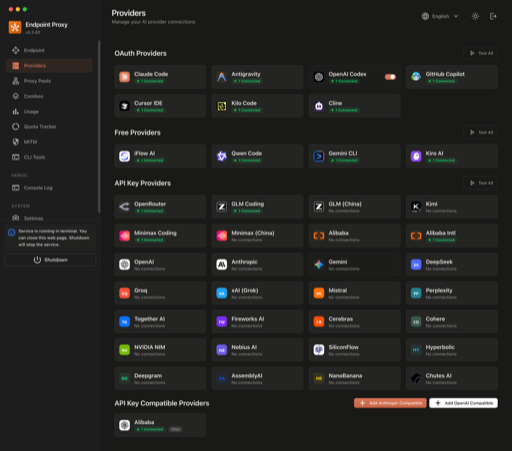
9Router
Version: 0.5.59
Self-hosted AI model router that rotates requests across 40+ providers with automatic fallback, exposing an OpenAI-compatible endpoint for coding agents.

Agent Zero
Version: v1.9
Agent Zero is an open-source autonomous AI agent framework with memory and tool use capabilities.

Anse
Version: latest
Anse is an open-source alternative to ChatGPT web UI, supporting OpenAI-compatible APIs.
Self-host Docling Serve in minutes
Dokploy is a free, open source deployment platform. Deploy Docling Serve and 585+ other templates on your own infrastructure with a single click.